All guides
GuidesKeeping in step
Data health
Whether Extolly's figures agree with Tally, and which gaps in your Tally data leave reports incomplete, with how to fix each one.
4 minute read
What Data health is for
It answers two questions. Do the figures here agree with Tally? And is anything missing in Tally that makes a report less useful than it could be?
Open it from the foot of the rail, from the menu at the top right, or from Needs you on Home.
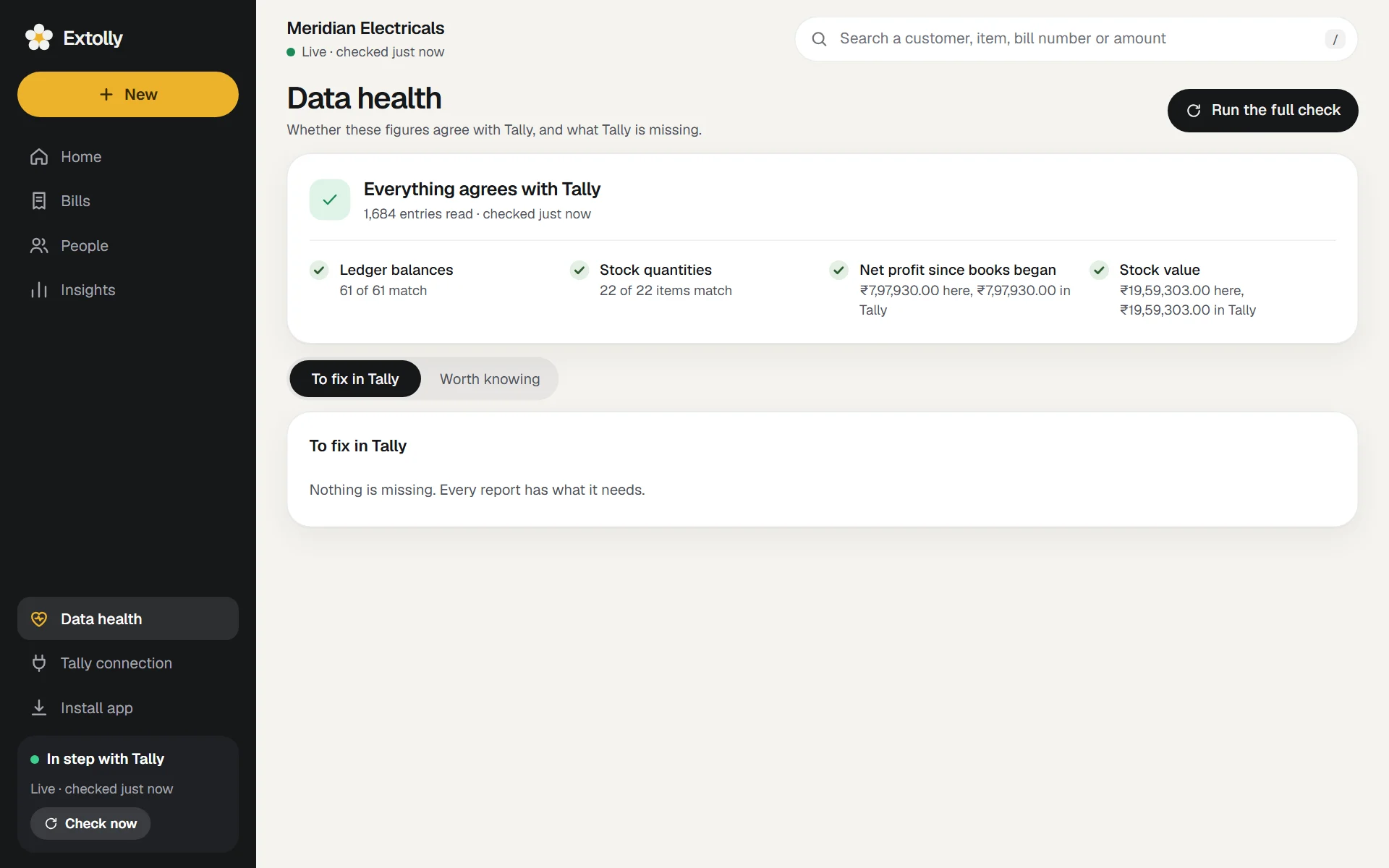
Do the figures agree
The top card says Everything agrees with Tally or Some figures differ from Tally, with how many entries were read and when they were last checked.
Four checks, each with a tick or a mark:
| Check | Compares |
|---|---|
| Ledger balances | Each ledger's balance worked out here with Tally's closing balance |
| Stock quantities | Each item's quantity worked out here with Tally's |
| Net profit since books began | The figure here and the figure in Tally |
| Stock value | The figure here and the figure in Tally |
If any differ, the first ten are named, with both figures: for example "Ledger balance: 1,24,500.00 here, 1,26,000.00 in Tally".
Run the full check reads Tally again and then runs a deeper comparison. Use it after a large change in Tally, such as restoring a backup, or whenever you want to be certain.
If something differs
- Press Run the full check. A difference often clears once everything has been read again.
- If one remains, note the ledger or item named and open it in Tally. Look for something unusual about it: entries in a type listed below under "not yet checked", stock valued by a method other than average cost, or an entry changed while Extolly was reading.
- If you cannot explain it, write to us with the name of the ledger or item and the two figures. Do not send your books.
Until it is resolved, treat figures that depend on that ledger or item with care, and use Tally's own report for anything important.
To fix in Tally
These are gaps in your Tally data. Fix them in Tally and the figures here fill in on the next sync. Press a line to see up to eight examples.
| Line | Effect | Fix in Tally |
|---|---|---|
| Sales with no item on the bill | Counted in total sales and profit, but not in any product or category figure | Bill with stock items where you can |
| Customers with no address | Their sales appear under Unknown in sales by city | Add the address and state to the ledger. Or in Extolly: open the customer, Edit details |
| Stock items with no stock group | Shown as Uncategorised | Put each item under a stock group |
| Stock items with no unit | Quantity sold, stock on hand and days of stock cannot be shown | Give the item a unit |
| Items sold without enough stock recorded | Stock on hand shows below zero | Enter the missing purchase or opening stock |
| Items sold with no purchase cost on record | Their margin shows as 100% | Enter a purchase or opening value for them |
| Entry types not yet checked against Tally | Books and quantities still match, but stock value could differ where these are used | Nothing to fix. It is a caution |
The number beside Data health in the rail, and the red dot on the menu button, count these lines.
Worth knowing
Nothing to fix here. These explain why a figure may look different from what you expect.
| Line | What it tells you |
|---|---|
| Sales billed to a cash or bank account | Counted as cash sales, and left out of customer figures |
| Money not matched to an invoice | Paid or received on account. It is taken off the party's oldest unpaid bills first |
| Balances not tracked bill by bill | Owed beyond the bills Tally lists for the party |
| Items given at no charge | Quantity leaves stock but adds nothing to sales, which lowers the average selling price |
| Stock counts that differed from the books | A physical stock entry changed the quantity. Figures follow the count, as Tally does |
| Proformas and other optional entries | Not part of the books until made regular, so no figure includes them |
| Cancelled entries | Kept for the record and left out of every figure |
| Entries dated after today | In the books, but left out of totals that end today and of today's balances |
| Books kept outside India | Every amount is shown with the rupee sign and two decimal places, whatever currency the books are in |
What Data health does not do
It is for reading. Nothing can be fixed from this screen itself, and the examples are not links. GST details are the exception, and have their own place: GST, then Missing details. See GST.
Still stuck? Write to support@extolly.com and say which step you are on.