
Widgets, everywhere.
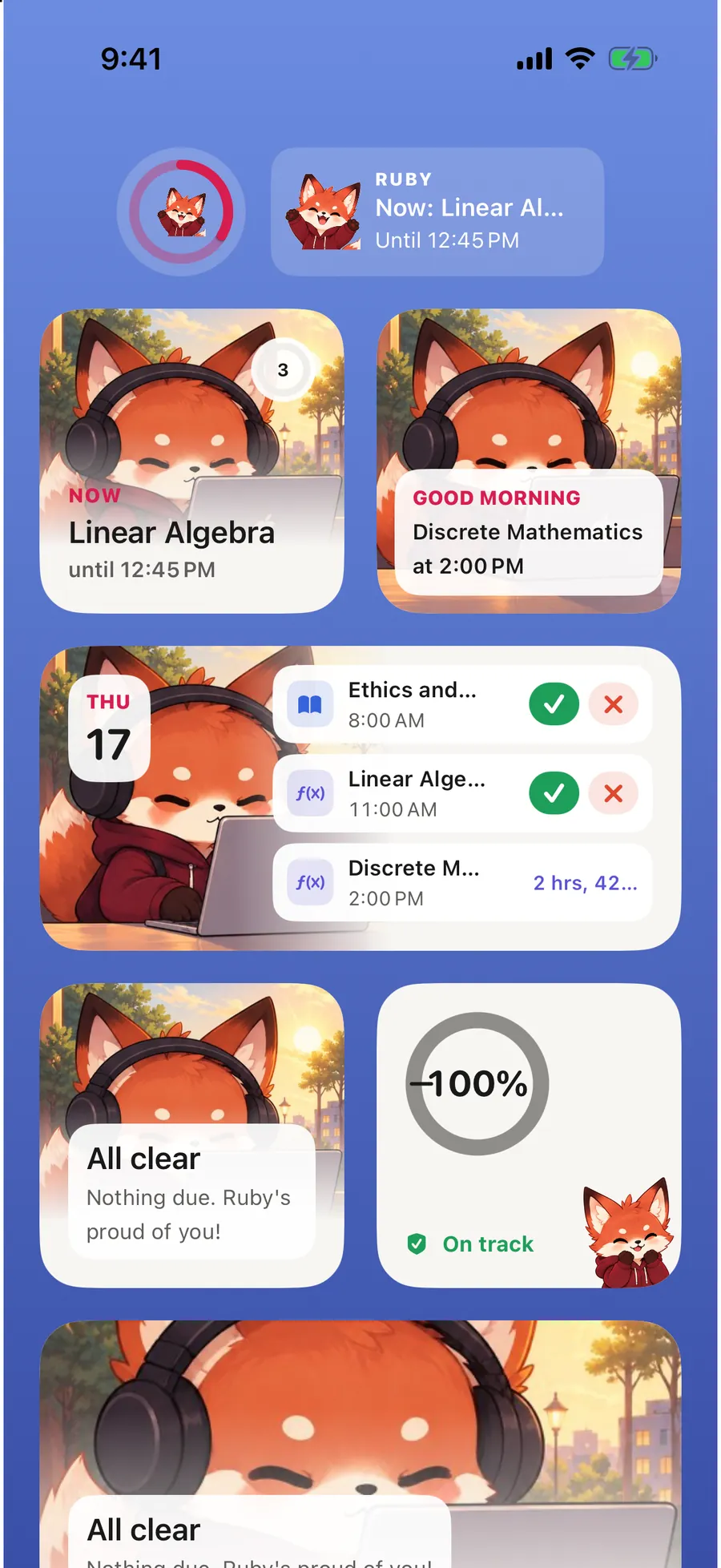
Ruby, Today, Planner and optional Attendance widgets for your Home Screen. Add Ruby to your Lock Screen and mark attendance straight from a widget.
Coming soon to iPhone & iPad
Ruby brings your classes, deadlines, focus time and goals together, then shows you the next useful thing to do.
Ruby gets your classes and deadlines into one place, then helps you decide what to do next.
Use a screenshot, photo, scan or PDF. Ruby lays out class times and suggests courses that match your degree.
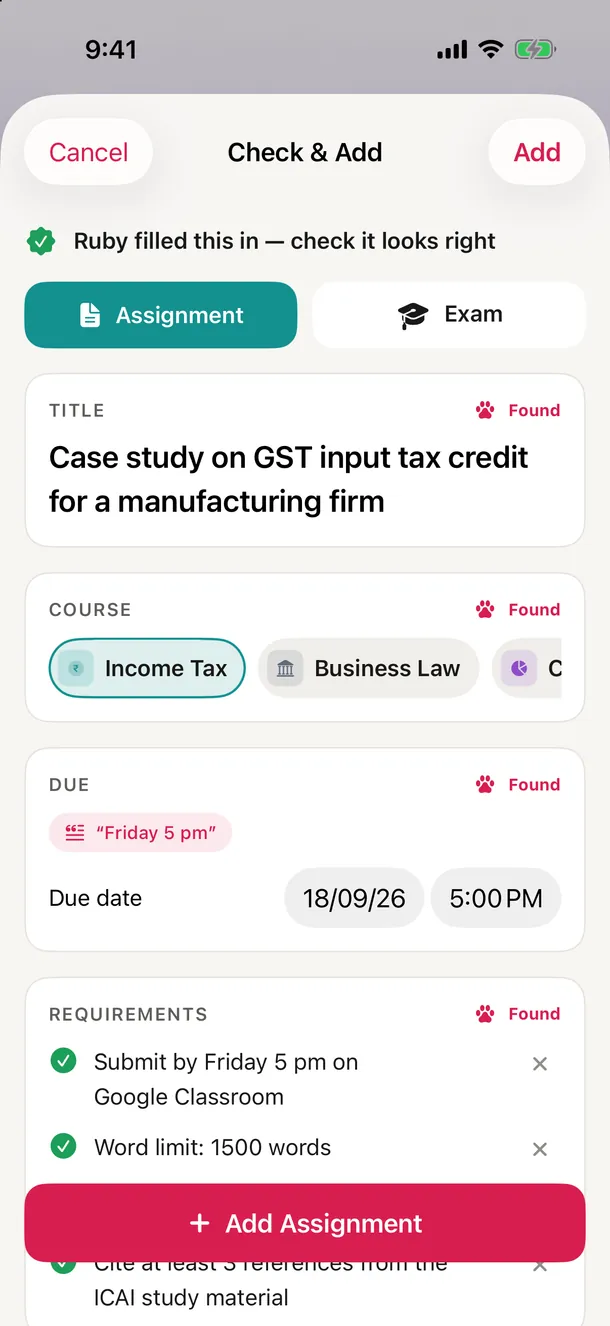
Paste a teacher's message or share a document. You check Ruby's draft task before it's saved.
See the next useful thing to do, why Ruby picked it, and what comes after.
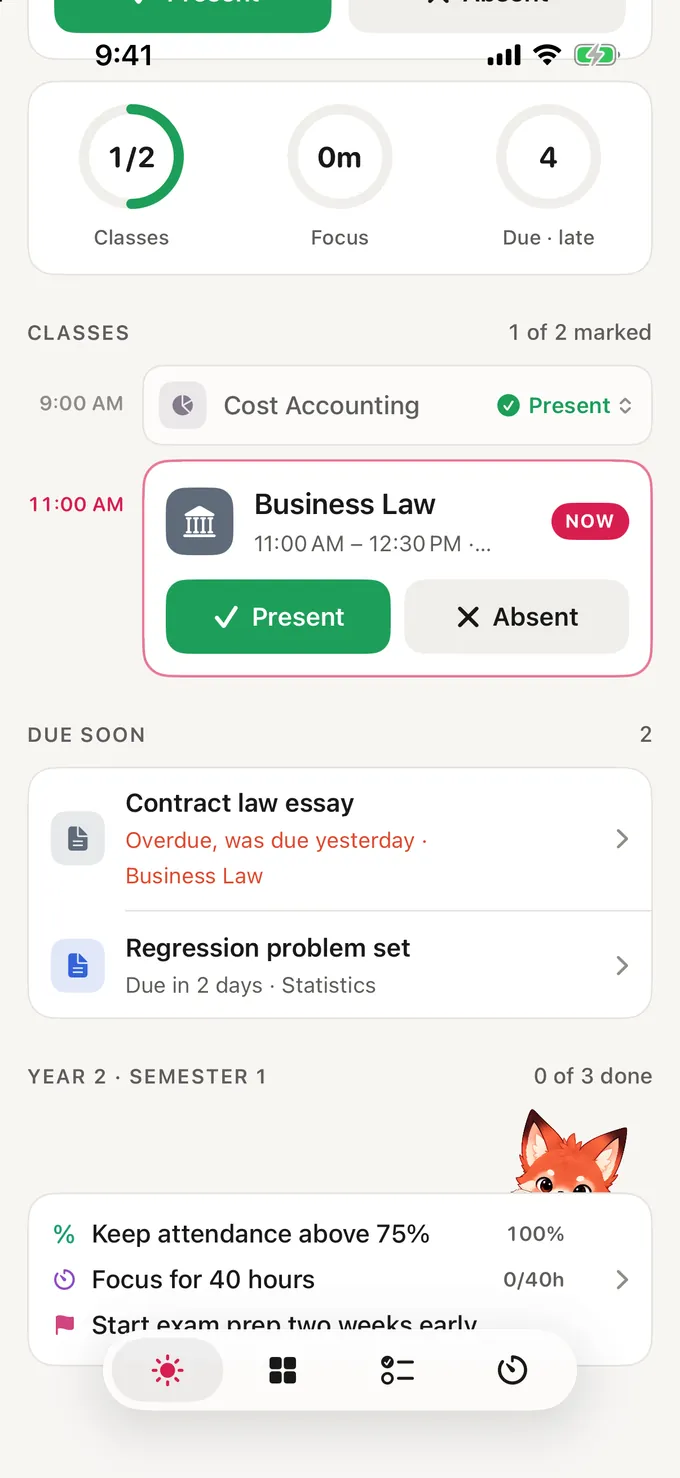
Today
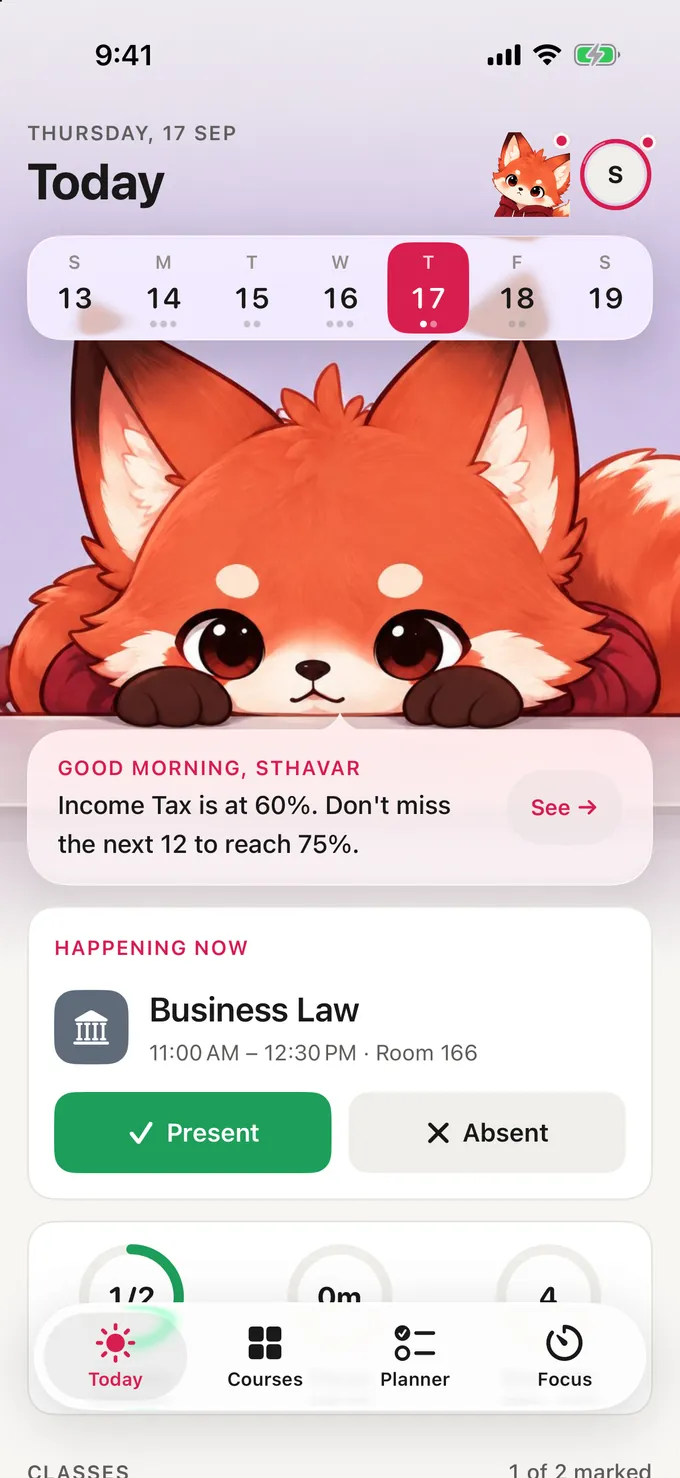
No more piecing together five class chats and calendars. Today puts your classes, due dates and progress in one view.
Import
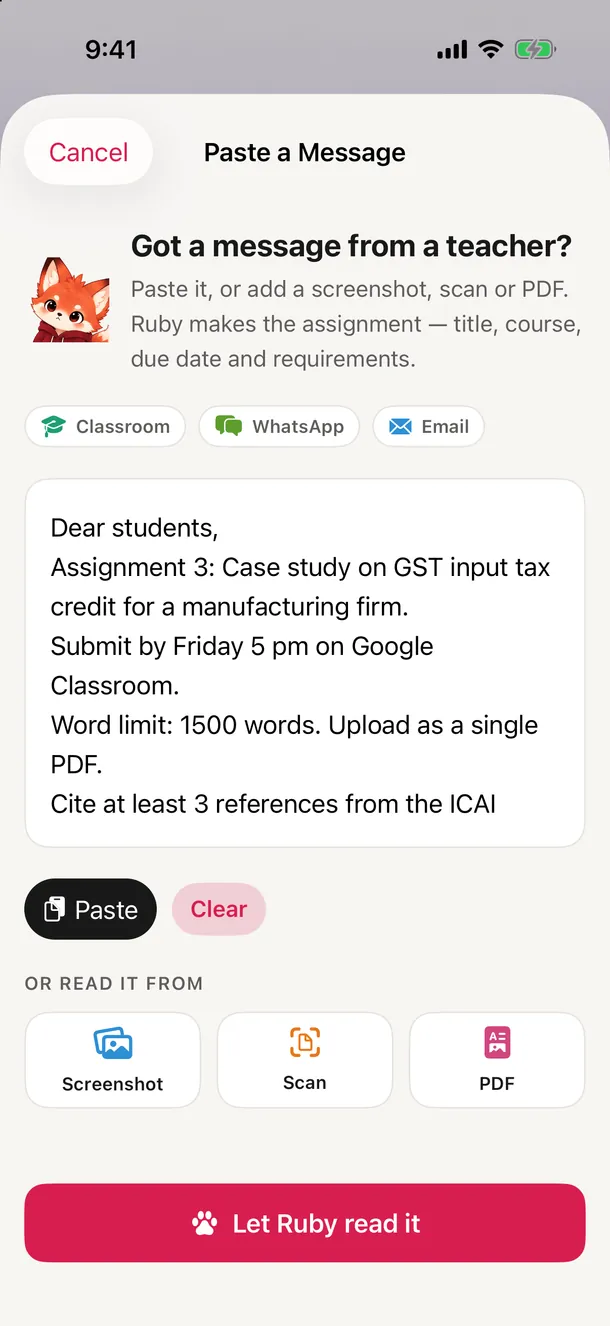
Paste from WhatsApp, Google Classroom or email, or share a screenshot, photo or PDF. Ruby finds the title, course, deadline and requirements, and shows the exact words behind each detail.
Planner
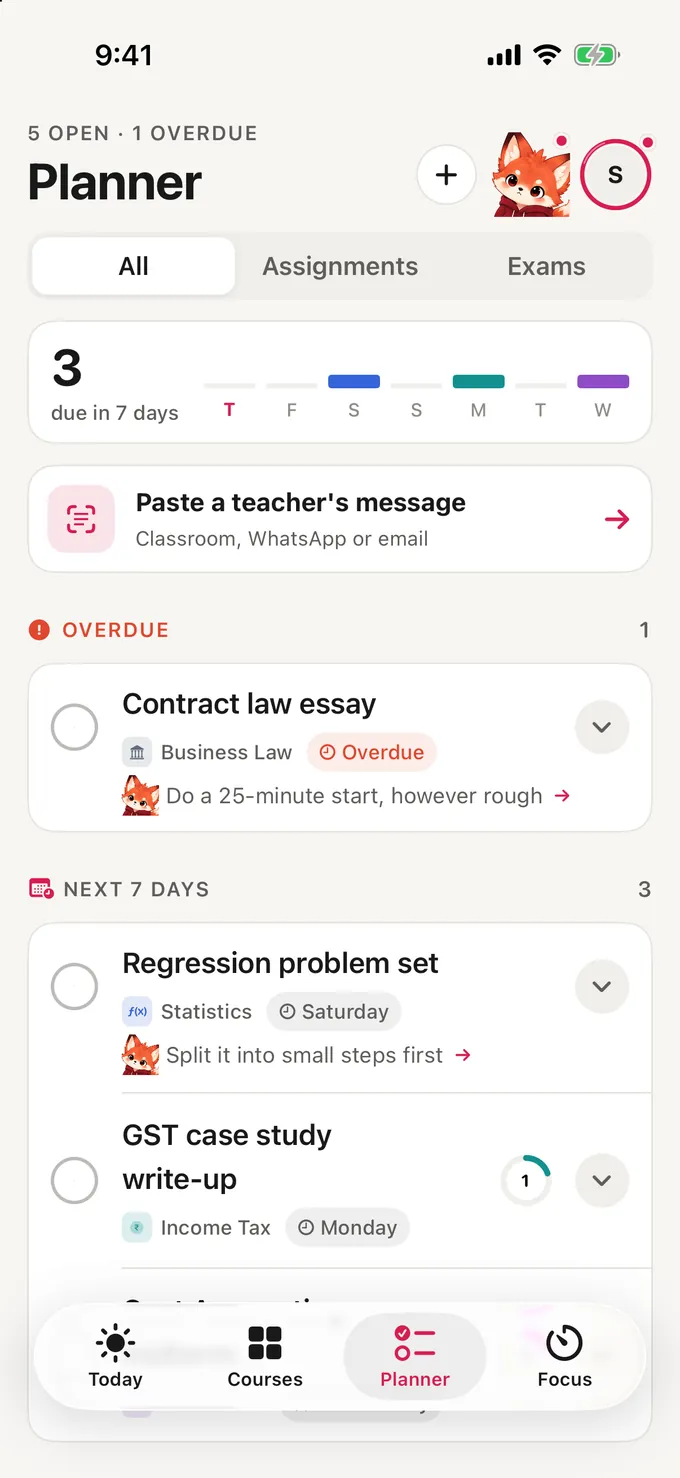
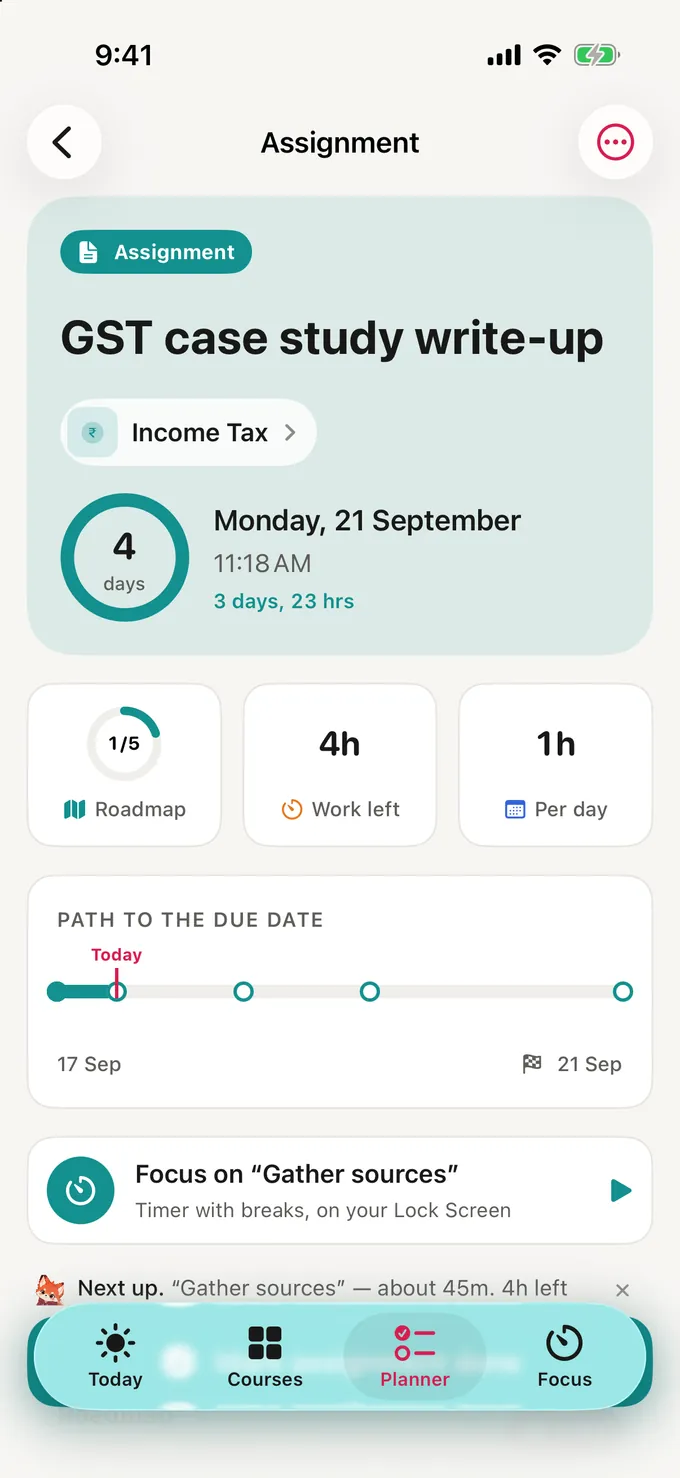
Assignments and exams sort into Needs attention, Upcoming and Completed. Each one gets a roadmap from today to the due date, with a countdown and visible progress.
Focus
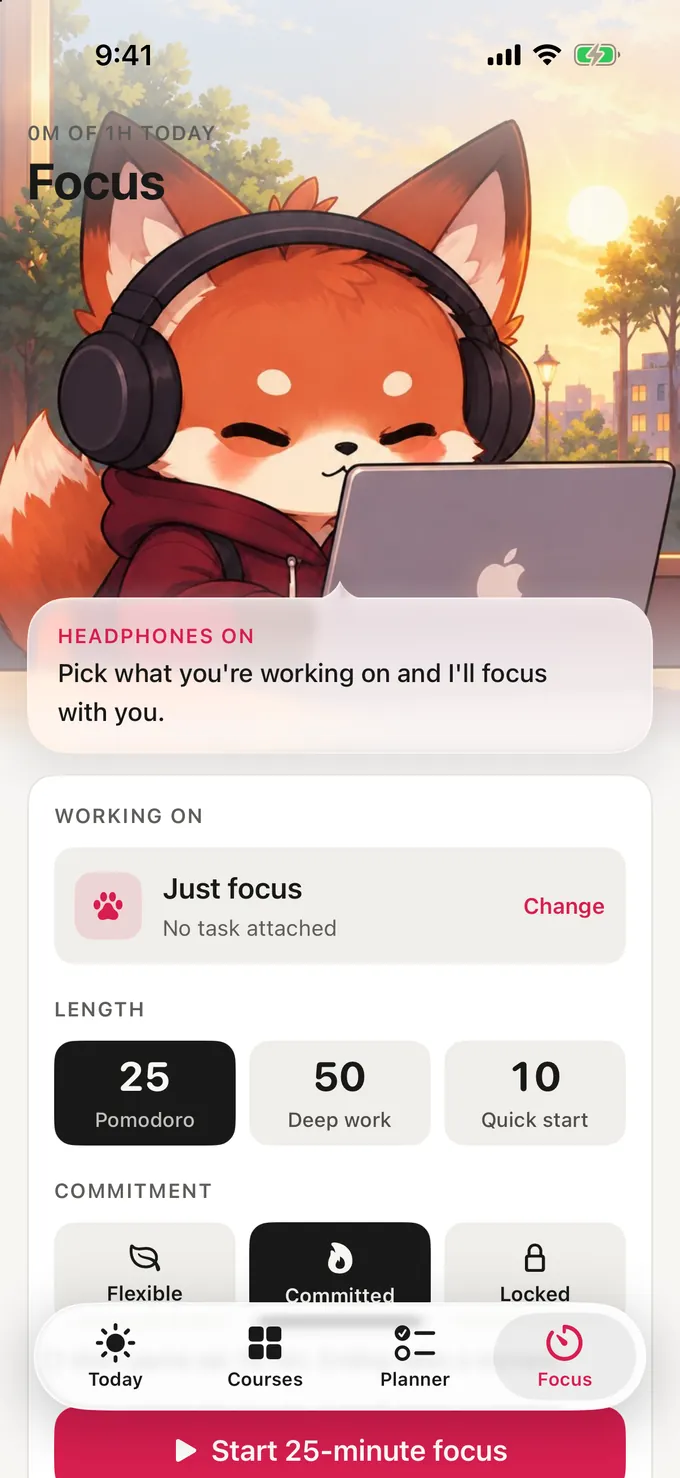
Pick a focus style that fits the moment, whether you're warming up or fully locked in.
Ease in and build momentum. Pause when you need to.
Your chosen apps can be blocked during every scheduled class, even when Ruby is closed.
Goals
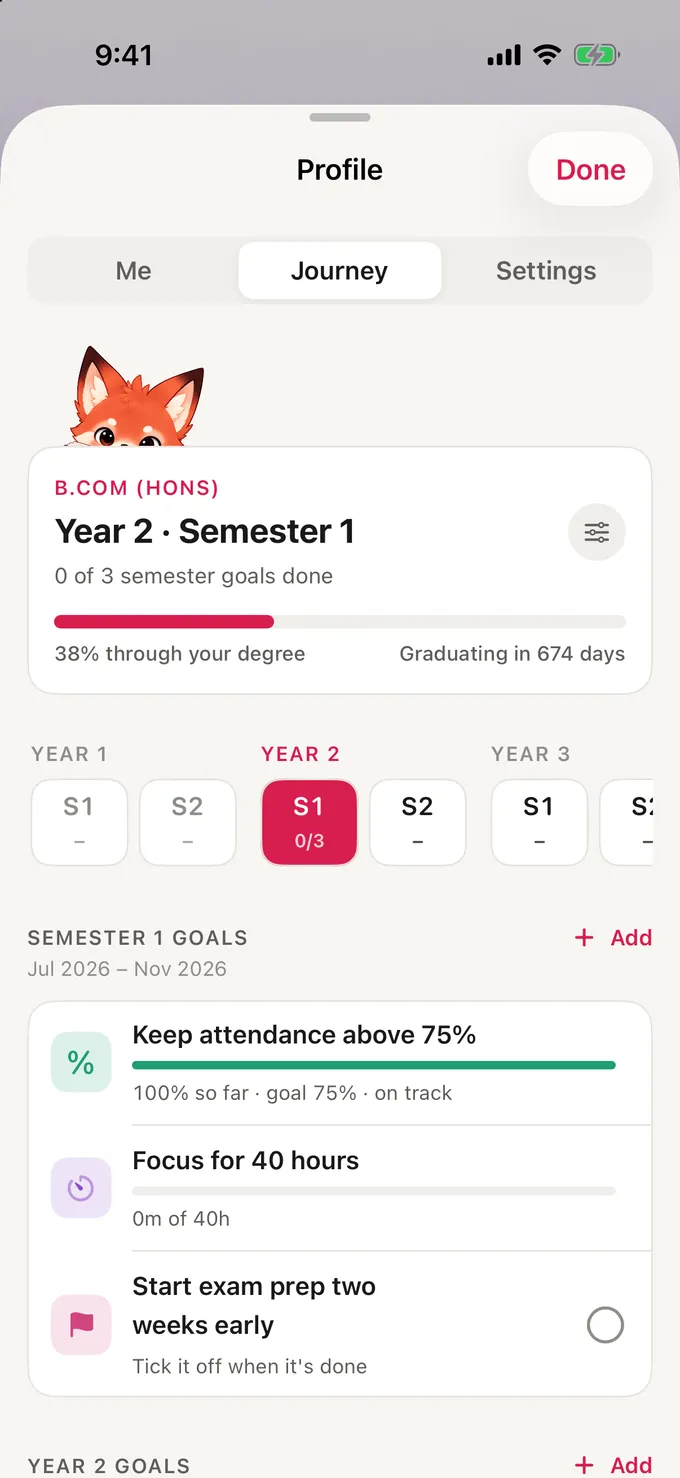
Set a goal for the semester, the year or graduation. Ruby measures it through your real tasks, focus time and optional attendance.

The small things that keep Ruby with you through the day.
Ruby, Today, Planner and optional Attendance widgets for your Home Screen. Add Ruby to your Lock Screen and mark attendance straight from a widget.
A heads-up before work is due, a check-in when class starts, and a gentle nudge when you've been away for a few days.
iPhone and iPad with an iPad sidebar, iCloud sync, backup and restore, and iOS Focus filters. Optional Apple Calendar sync uses a separate Ruby calendar, so your other events stay untouched.
Mark Present or Absent from a notification or widget and see how many classes keep you above your college's minimum. Turn it off if your college doesn't track it.
Your courses, tasks, goals and focus history stay on your device and, when you sign in, in your private iCloud.
Read the Privacy PolicyYour study data is never stored on our servers. Ruby has no ads, analytics or tracking.
Imported screenshots and documents are read on your device. Ruby never opens links or contacts anyone based on what you import.
Screen Time gives Ruby opaque tokens for the apps you block. Ruby can't see which apps you chose.
Subscription status and limited device details are used to manage Ruby Pro. Your study data is not.
Ruby Pro unlocks the whole app. Try it free for 7 days, then pick the plan that suits you.
$29.99/ year
About $2.50 a month · 7-day free trial
$4.99/ month
7-day free trial
Prices in USD. Subscription terms are shown in the App Store before you subscribe.
Yes. Ruby is designed for both, with a sidebar layout on iPad. Sign in with Apple and iCloud to sync your planner between them.
Always. Ruby shows the exact words it used for each detail and asks you to confirm before saving anything. It never guesses a deadline.
No. Attendance is optional and easy to turn off if your college doesn't track it.
Ruby uses Apple's Screen Time controls to block the apps you choose during focus sessions or scheduled classes. Ruby never sees which apps you selected.
Your study data stays on your device and, when you sign in for sync, in your own private iCloud.
Ruby is coming to the App Store soon. Email us and we'll let you know the day it's out.
Your classes, your goals, and one clear place to begin.
Send us a quick email and we'll let you know when Ruby is live.